
 Kallarity · User Guide Documentation
Account management
If you manage your company's Kallarity account, this section is for you. Account Management is where you control who can do what.
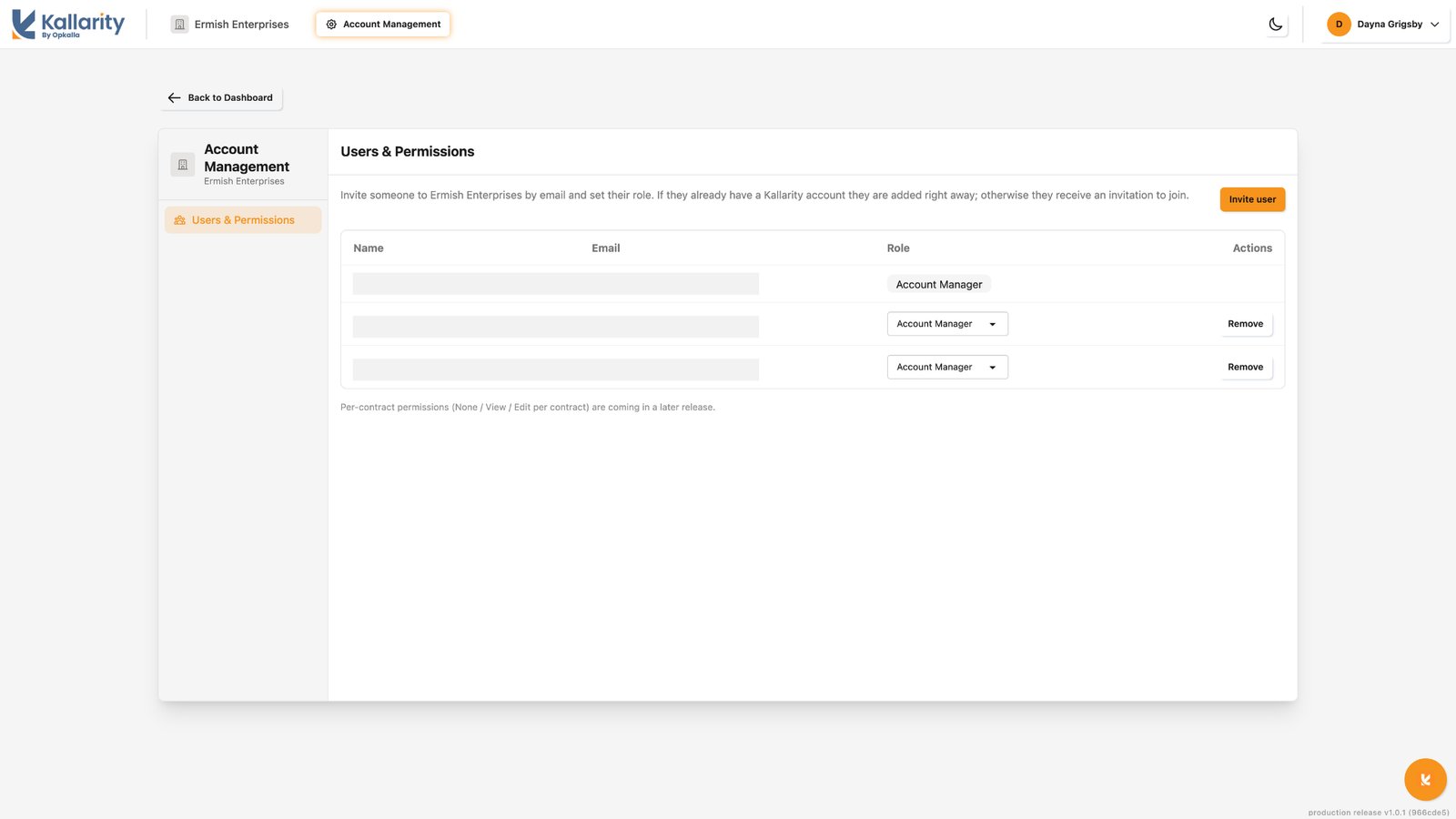
Inviting and managing team members
- Open Account ManagementSee everyone on your account.
- Invite a teammateAdd their email, and they'll get access to your company's account.
- Adjust access any timeMove someone between Account Manager and User, or remove them if they've moved on.
Roles and what they can do
Every person on the account holds one of two roles, which controls who can manage the account itself:
- Account Manager can open the Account Management pane, invite new users, remove users, change roles, and see everyone on the account. This role fits the people responsible for administering the account, such as procurement or IT leadership.
- User cannot access the Account Management pane and cannot invite or remove users. This role fits team members who work in Kallarity but don't administer the account.
Note
Both roles see all of the contracts on the account. The only difference is who can manage the
account itself.
New members are added as Account Manager by default. Change anyone to User from the same screen when they don't need to manage the account.
Set your team up once, and everyone lands in Kallarity with exactly the right access.
production release v1.0.1 (63303cc)